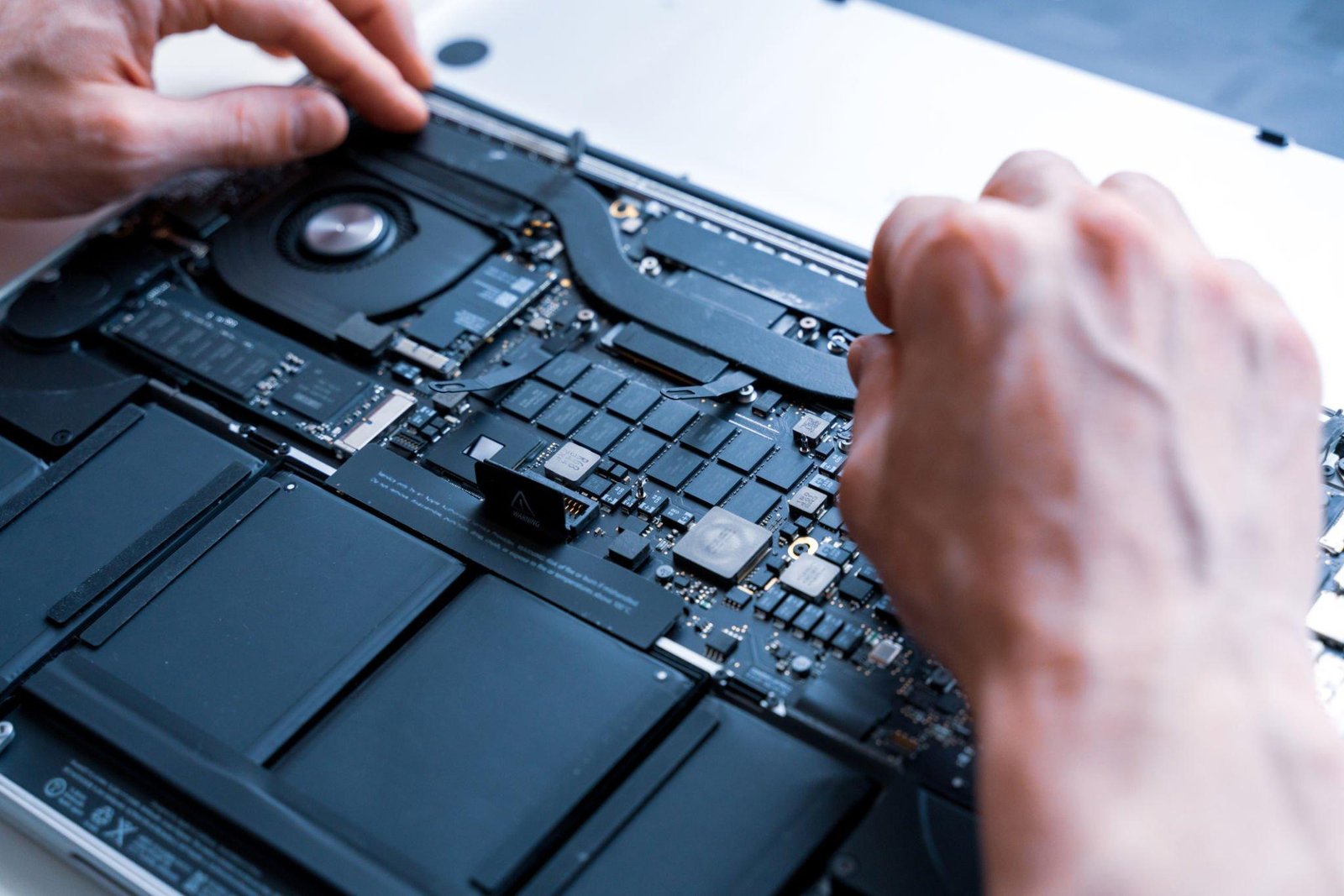
Spilling water, coffee or soda on your MacBook is scary, but what you do in the next few minutes can decide whether it’s a simple cleaning or an expensive repair. Follow these steps from the technicians at IFIXALL Repair in McKinney, TX, to give your MacBook the best chance of surviving liquid damage.
Quick answer: Turn your MacBook off immediately by holding the power button for 10 seconds. Unplug the charger and all accessories, then turn the laptop upside down in a tent shape so liquid drains out. Don’t turn it back on to test it, don’t use a hair dryer, and don’t put it in rice. Bring it to a repair shop as soon as possible, ideally within 24 hours.
What to Do Right After a Spill (Step by Step)
Step 1: Turn it off immediately
Press and hold the power button (Touch ID button) for about 10 seconds until the screen goes black. Don’t wait to save your work. Electricity plus liquid is what causes short circuits and permanent damage to the logic board.
Step 2: Unplug everything
Disconnect the charger, USB drives, hubs, mice and any other accessories. Even a closed laptop on a charger still has power flowing to the board.
Step 3: Turn it upside down in a tent shape
Open the MacBook as wide as it will go and place it upside down, keyboard facing down, like a tent or an upside-down “V”, on a towel. This lets liquid drain out of the keyboard instead of flowing deeper inside.
Step 4: Blot, don’t wipe
Gently blot the keyboard, trackpad and outside with a soft, lint-free cloth or paper towel. Don’t rub hard or press on the keys, which can push liquid further in.
Step 5: Note what you spilled
Water is the least harmful. Coffee, soda, juice, tea with sugar, beer and wine are worse, because they leave sticky residue that keeps corroding the board even after the liquid dries. Tell the technician exactly what it was and roughly how much.
Step 6: Get it checked quickly
Bring it in within 24 to 48 hours if you can. Corrosion starts on the logic board within hours and keeps spreading, even if the MacBook seems to work fine later.
What NOT to Do After Spilling on a MacBook
- Don’t turn it on “just to check.” This is the number one way a small spill becomes a dead logic board.
- Don’t charge it. Plugging in a wet MacBook can short the charging circuit and the board.
- Don’t use a hair dryer or heater. Heat can damage the screen, battery and components, and it pushes liquid deeper inside.
- Don’t put it in rice. Rice doesn’t pull liquid out of a laptop, and it can leave dust and starch inside the ports.
- Don’t shake it hard. That spreads liquid across more of the board.
- Don’t open it yourself. MacBooks use special screws and fragile cables, and the battery can be damaged if the case is pried open.
“It Still Works. Am I Okay?”
Not necessarily. Many MacBooks seem fine right after a spill, then start having problems days or weeks later as corrosion spreads. Watch for:
- Keys that stick, repeat or stop working
- Trackpad clicking or moving on its own
- The MacBook shutting down randomly or not charging
- Display flickering, lines, or a dim backlight
- A burning smell, or the MacBook getting unusually hot
- The MacBook not turning on at all
If you notice any of these, stop using it and get it inspected. Cleaning corrosion early is usually much cheaper than replacing a logic board later.
What Does a Professional Liquid Damage Repair Involve?
When you bring a liquid-damaged MacBook to a repair shop, the technician will typically:
- Disconnect the battery to stop power from reaching the board.
- Open the MacBook and inspect where the liquid went.
- Clean the logic board and affected parts to remove liquid and corrosion.
- Test components such as the keyboard, trackpad, display, charging port and battery.
- Repair or replace only what’s actually damaged.
The cost depends on how far the liquid traveled and how long it sat. A quick cleaning is the best case. A damaged keyboard or logic board costs more, which is why acting fast matters.
Does Apple Warranty or AppleCare Cover Liquid Damage?
Apple’s standard one-year limited warranty doesn’t cover liquid damage. MacBooks have liquid contact indicators inside that show whether liquid got in. AppleCare+ does cover accidental damage, including spills, for a service fee, so check your coverage if you have it. If you don’t, an independent repair shop is often the faster and more affordable option.
What About My Files?
On newer MacBooks, the storage is built onto the logic board, so if the board fails, your files can be hard to get back. This is another reason to turn the laptop off right away and get it repaired quickly.
If your MacBook won’t turn on after a spill and you need your photos or documents, ask about data recovery before anything else. Going forward, turn on Time Machine or iCloud Drive backups so a spill never costs you your files again.
How to Prevent Spills in the Future
- Keep drinks on a separate table or at least an arm’s length from your laptop.
- Use cups with lids, especially for coffee.
- A silicone keyboard cover can catch small splashes.
- Back up regularly with Time Machine or iCloud.
Spilled Something on Your MacBook in McKinney?
Bring it to IFIXALL Repair at 2310 Virginia Pkwy, McKinney, TX 75071 as soon as you can. Our technicians clean and repair liquid-damaged MacBooks, and every repair includes a minimum 3-month warranty. Customers visit us from McKinney, Allen, Plano, Princeton, Lucas and nearby areas.
Learn more about our MacBook repair service, book your repair online, or call 469-300-3936 right now. With liquid damage, every hour counts.
Frequently Asked Questions
How long should I wait before turning on my MacBook after a spill?
Ideally, don’t turn it on at all until a technician has opened it and cleaned it. Even if it looks dry outside, liquid and residue can stay trapped inside for days.
Can a MacBook survive water damage?
Yes, often. Your chances are much better if you turned it off immediately, unplugged it, and got it cleaned quickly.
Is spilling coffee worse than water?
Yes. Coffee, especially with sugar or milk, leaves residue that keeps corroding the board after it dries. Water is less harmful, but it can still cause damage.
Will rice dry out my MacBook?
No. Rice doesn’t remove liquid from inside a laptop, and it can leave dust in the ports. Turn it upside down in a tent shape and get it inspected instead.
Can I still get my files back if my MacBook won’t turn on?
Sometimes. It depends on whether the logic board can be repaired. Bring it in quickly and ask about data recovery.